How to Sign Up as a 4Life Preferred Customer and Order Online
Choose your country — Australia, Taiwan, Hong Kong or another available market — then follow that shop’s membership and ordering options. Start by exploring products or opening registration.
1 · Choose your country and referrer
Open your chosen referrer’s My4Life site and select the correct country or region. Your market determines available products, shipping options and other local content. A price, fee or form from another country is not a universal rule.
2 · Pick your starting route
Start with registration
Open the local join or signup page. Choose from the membership options actually offered there, complete the requested details, check Enroller and Sponsor/Placement, and read the local agreement. Follow the displayed first-order and payment steps if required.
Choose products first
Browse the catalogue, select quantity, add products to your basket and review the referral and total. At checkout, follow the local prompts to sign in, register or provide shipping details. Guest checkout is not established for every market.
3 · Check membership, costs and delivery
This guide uses the familiar Preferred Customer title, but local membership names and options can differ. If a form says Affiliate, understand that agreement before accepting it; /signup/PC alone does not establish a separate Preferred Customer tier. Fees, first-order requirements, taxes and shipping vary by market.
Registration after a completed purchase and keeping a cart when moving into signup have not been verified globally. Ask the local 4Life office before relying on either.
Sharing your own referral link
Distributors should replace an example link’s ID with their own valid affiliate ID, then check the market, referrer and placement details. Ordinary customers following their chosen referrer should leave that referrer’s ID in place, not enter an ID they do not yet have.
Illustrated example: LLH’s Malaysia shop (not a universal form)
The screens and RM amounts below belong only to the observed Malaysia example, not Australia or Hong Kong.
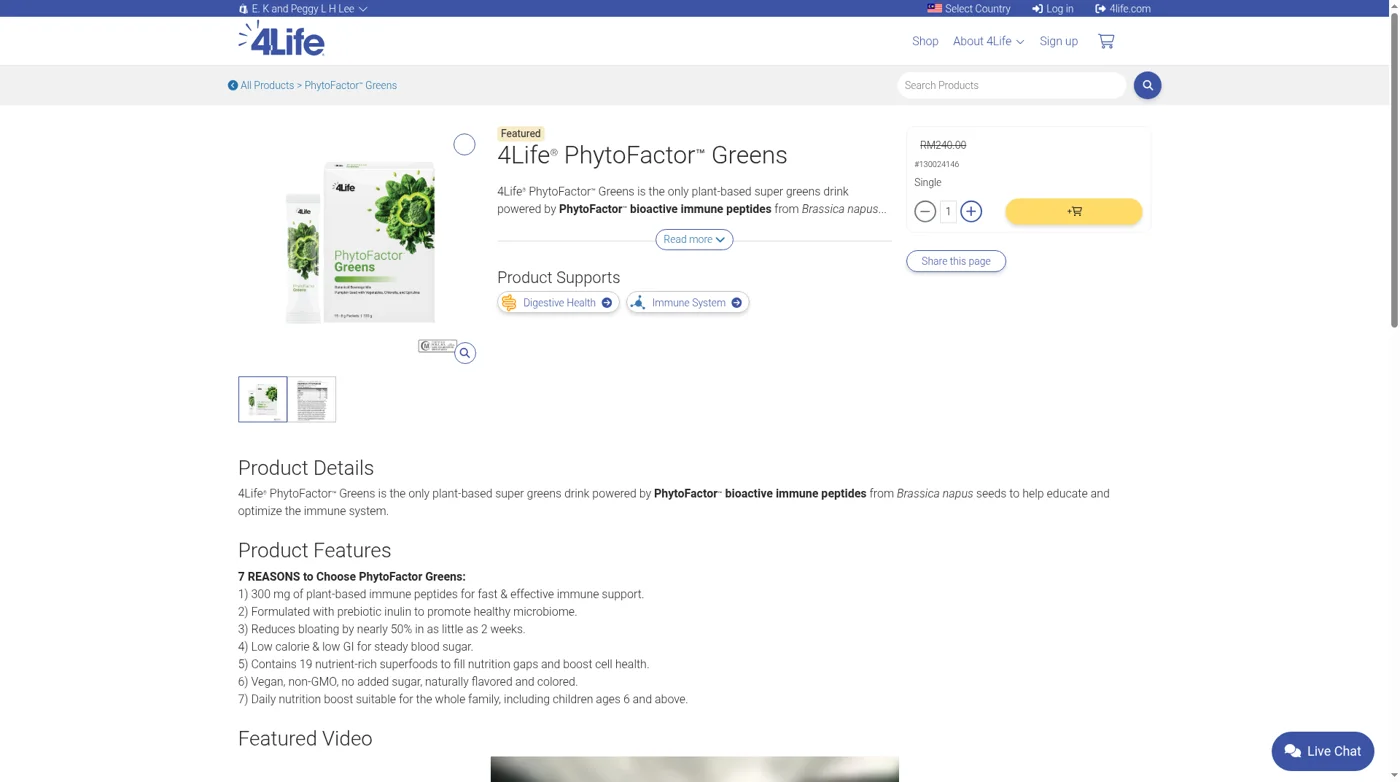
A practical walkthrough using LLH’s Malaysia My4Life shop. You can start the registration flow or choose products first. Registration after a completed purchase has not been confirmed.
Read the membership wording first. The URL contains /signup/PC, but the actual form and agreement say Affiliate, including an instruction to return a signed Affiliate Agreement. We have not established a separate Preferred Customer tier just from that URL.
Route 1 · Start with registration
- Open LLH’s shop. Select Sign up, then Sign me up!
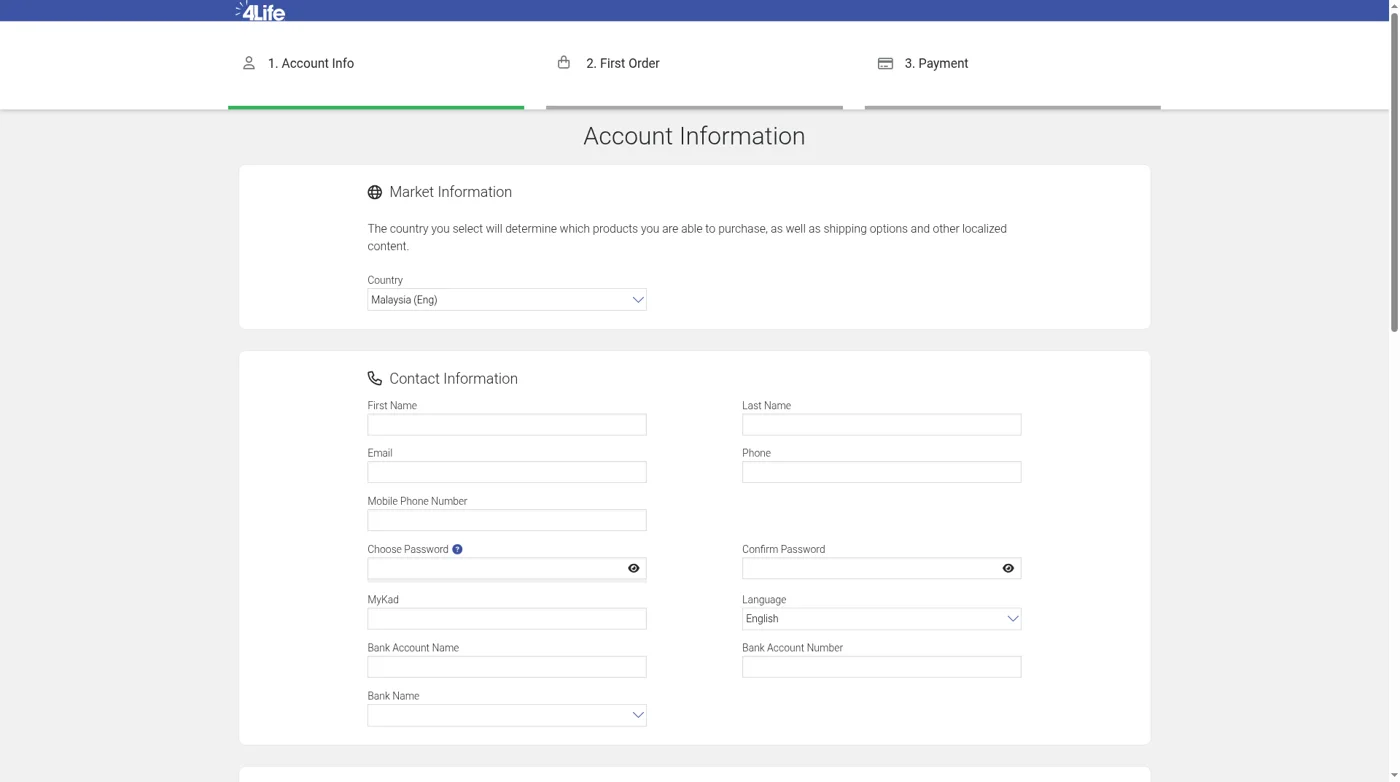
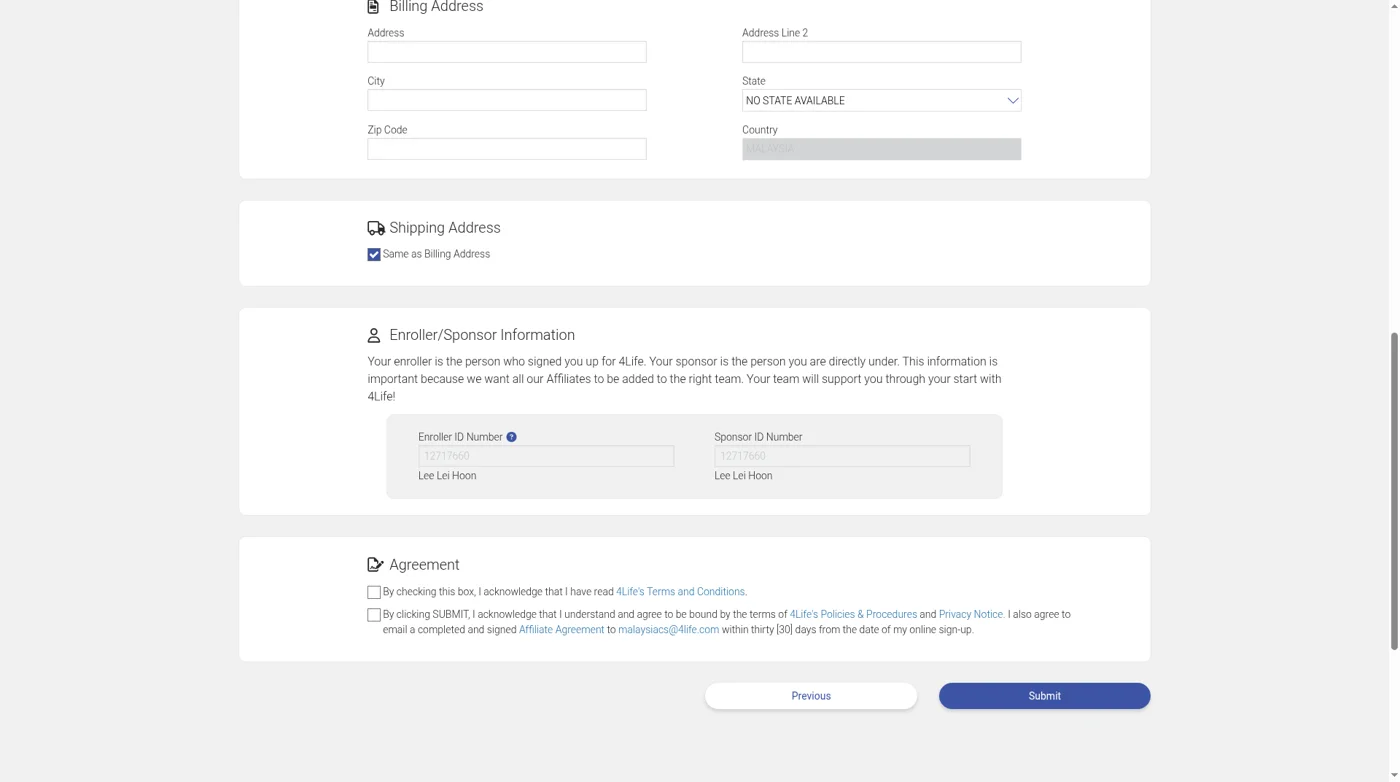
- Keep Malaysia (Eng) selected. Complete account, password and address details. MyKad and bank fields are also displayed; which are compulsory was not established without submission.
- Check that Enroller and Sponsor both show 12717660 — Lee Lei Hoon for this example.
- Read the Affiliate Agreement and the instruction to return a signed agreement. Agree and submit only if this is the membership you intend.
- The displayed sequence is Account Info → First Order → Payment. Registration without a first order has not been confirmed.
The official marketing shows RM80 signup, waived with a first order of 150 LP or more. The fee was not verified at final checkout; check the actual total before paying.
Route 2 · Choose products first
- Select Shop, open a product, set quantity and press the yellow basket button.
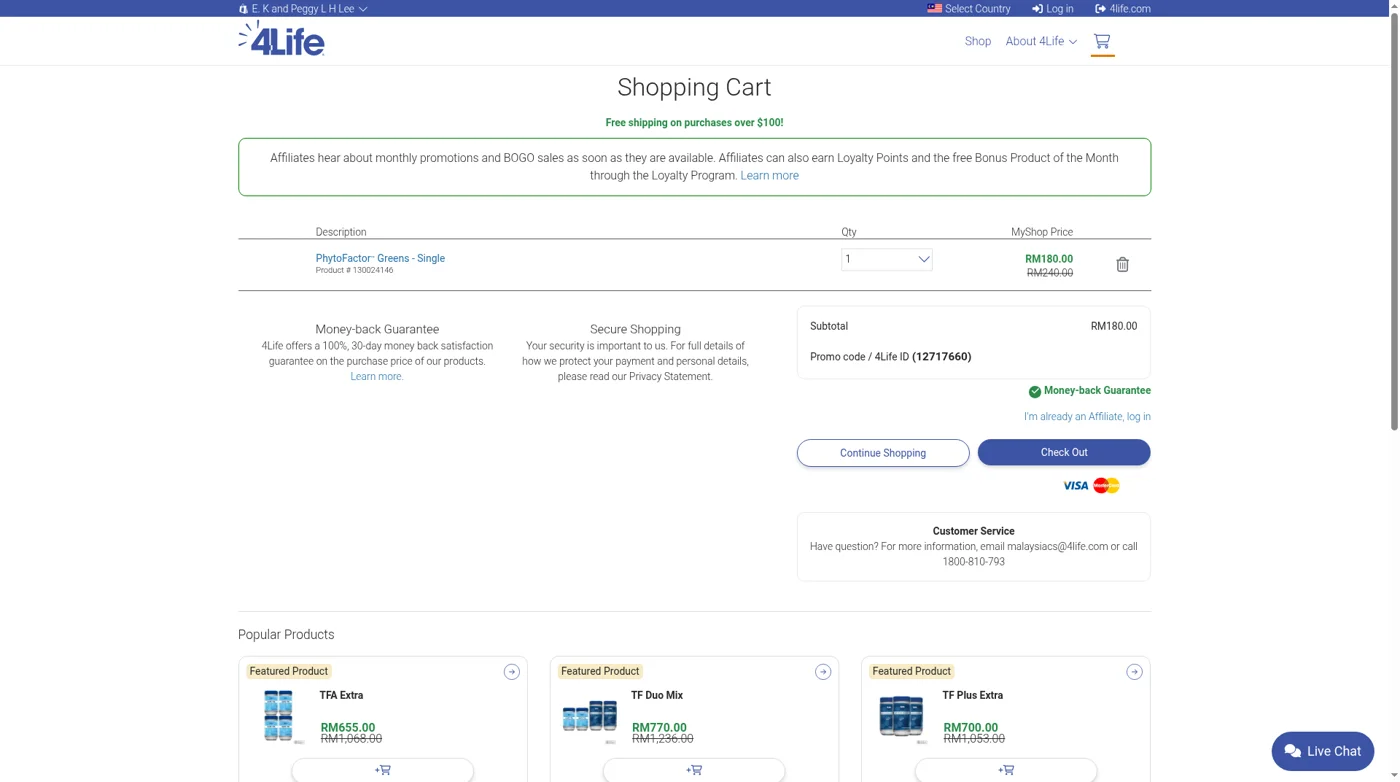
- Open the cart. Check product, quantity, price and Promo code / 4Life ID. LLH’s example is 12717660.
- Existing members can log in. A new shopper can select Check Out.
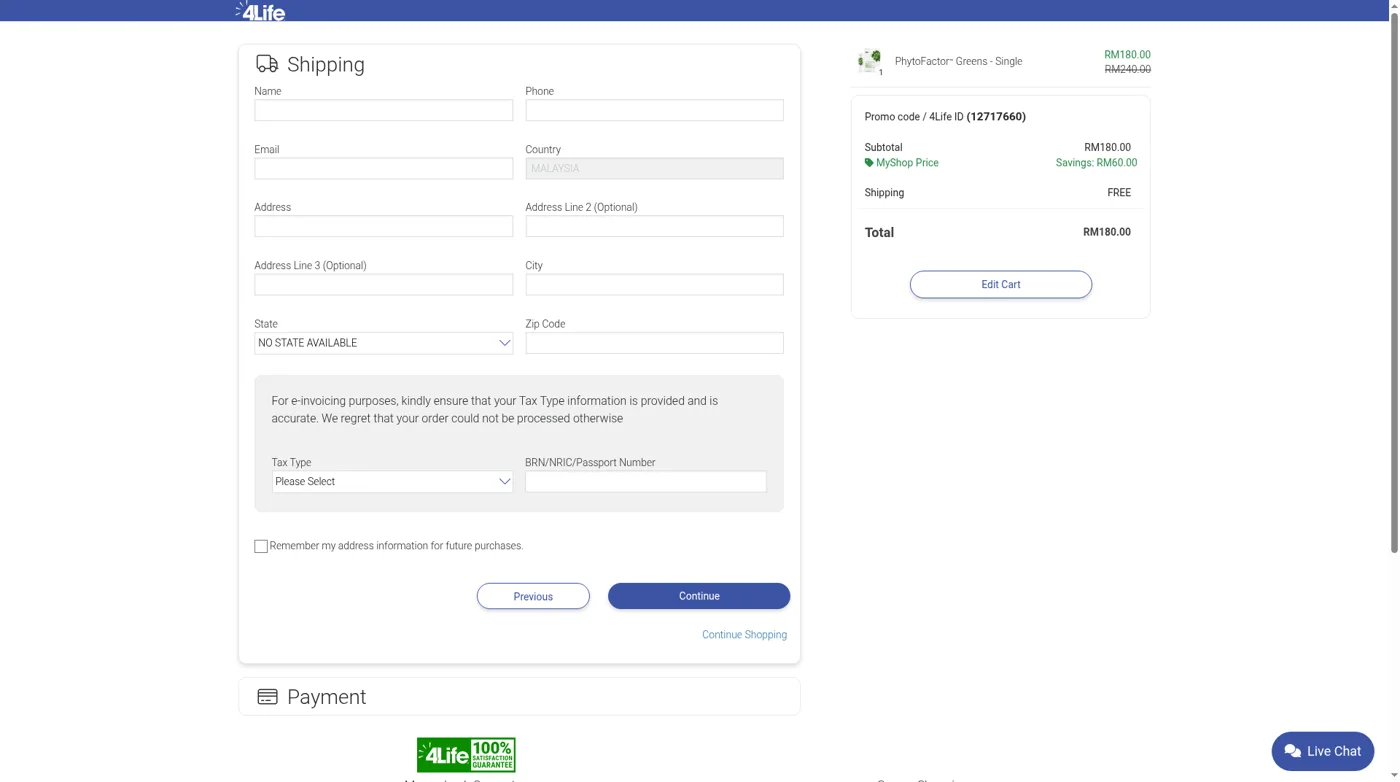
- The Shipping form opens without a signup gate. Supply the requested delivery and e-invoice tax/identification details yourself.
- Review the total before Continue. A Payment section follows, but it was not expanded and no payment or order was submitted.
Not yet verified: joining after a completed purchase; whether a cart survives moving into signup; full payment choices and final confirmation screens. Do not treat these as established steps.
Distributors sharing their own referral link
Replace 12717660 in the example https://malaysia.4life.com/12717660 with your own valid affiliate ID, then test that your intended referral appears. This does not change the country or the referral settings elsewhere on this website.
Ordinary buyers following LLH should keep 12717660. This is not an instruction to invent or enter a customer ID you do not yet have.